v1.0.0 — Zero Dependencies
where-file
"Where my files at?" — See every open file on your Windows PC, instantly.
No install needed. No Python required. Just download and run.
"Where my files at?" — See every open file on your Windows PC, instantly.
No install needed. No Python required. Just download and run.
Simple, fast, and just works.
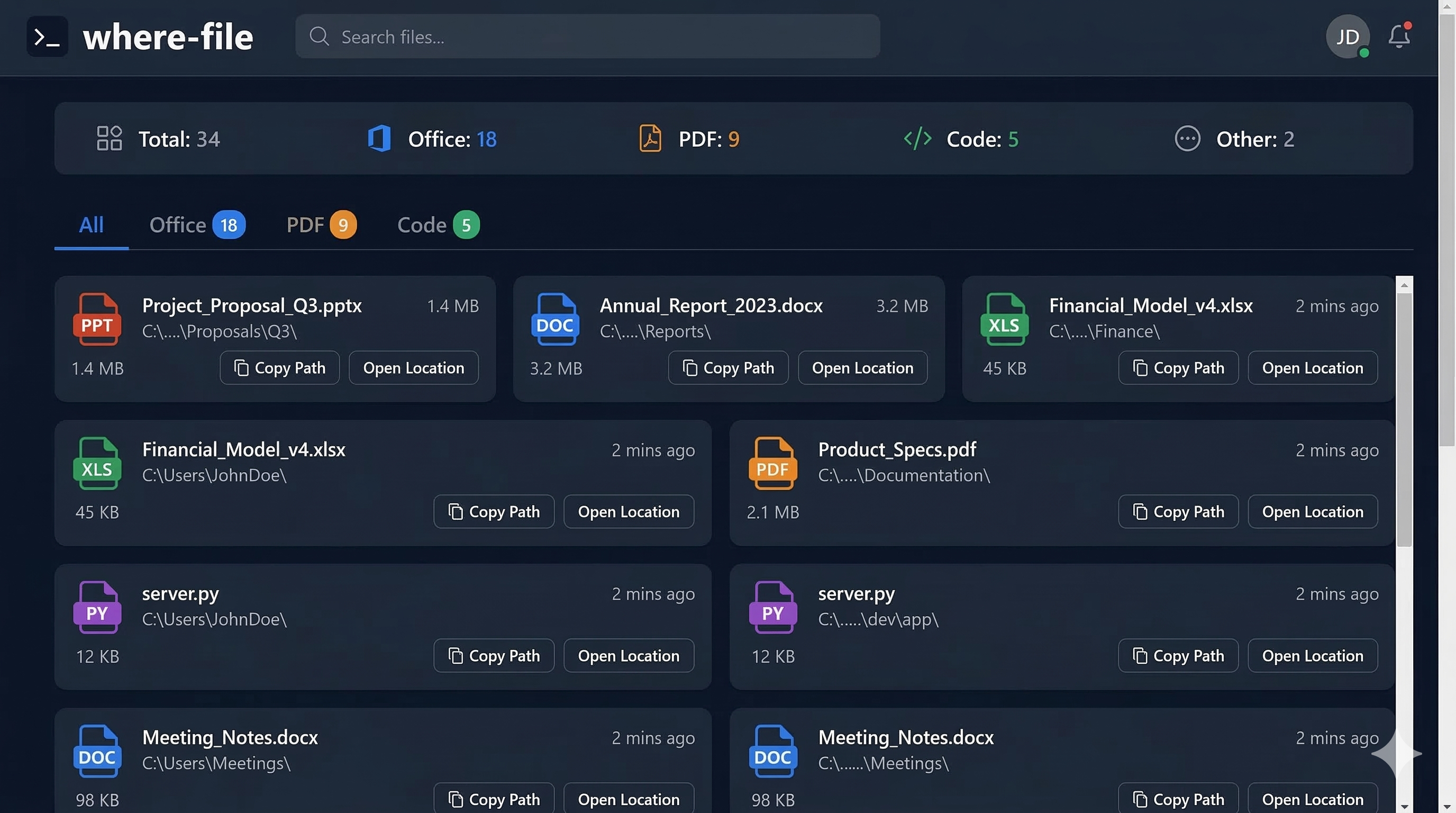
PowerPoint, Word, Excel, VS Code, Notepad — every file across every app, in one place.
Copy file path or folder path instantly. No more digging through File Explorer.
Pure Python standard library. No pip install, no Node.js, no nonsense. Just download and run.
Global hotkey instantly copies the active window's file path to clipboard. Works anywhere.
Office, PDF, images, code, video, audio, archives, design files — all detected automatically.
Under 7MB. Runs in the background with minimal memory. No bloat, no telemetry.
Pick your style.
Beautiful dark-themed dashboard in your browser. Filter by file type, auto-refresh, copy paths with one click.
where-file-web.exe
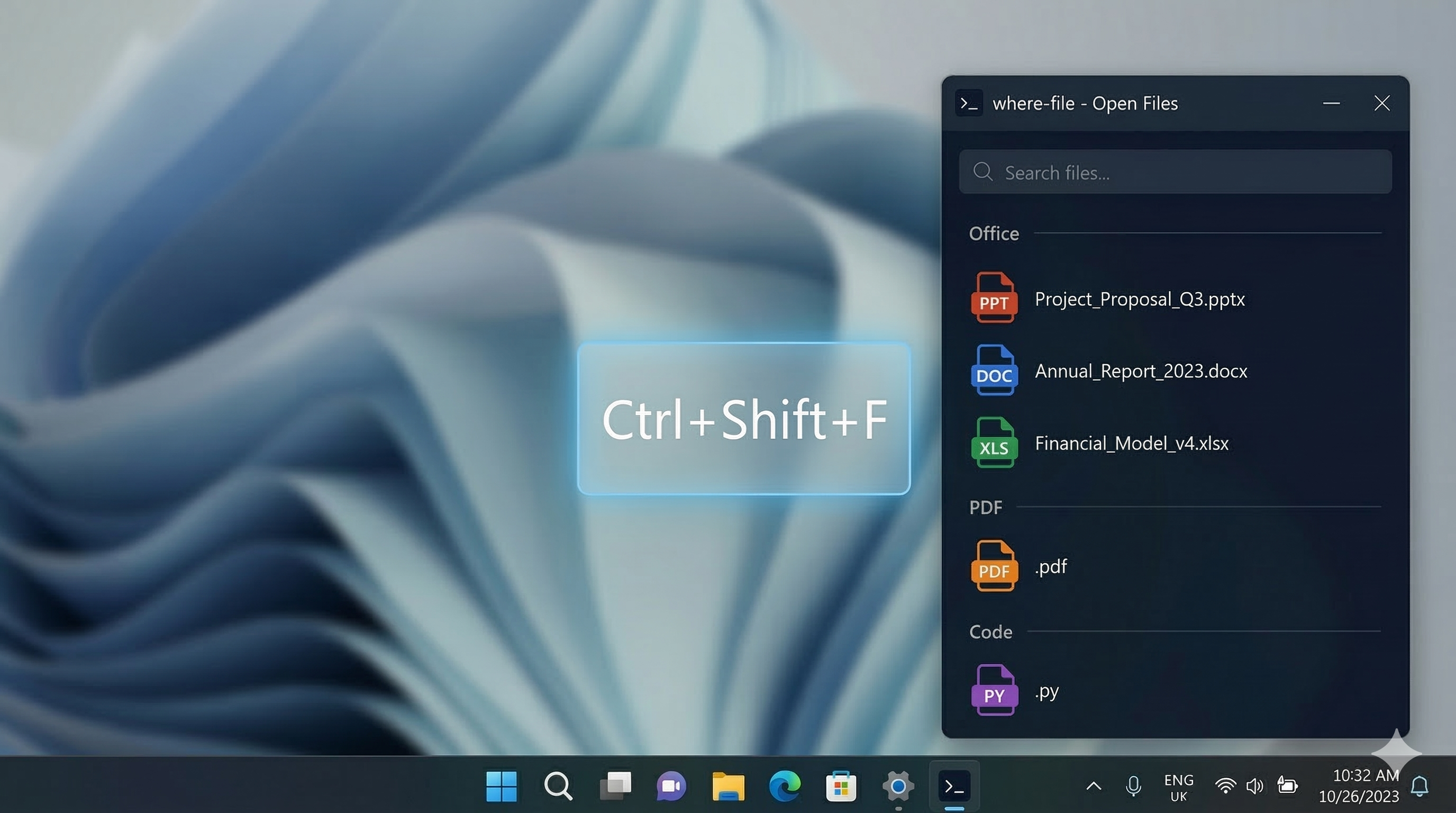
Sits quietly in your taskbar. Press Ctrl+Shift+F anywhere to instantly grab the file path. Left-click for full list.
where-file-tray.exe
Up and running in 30 seconds.
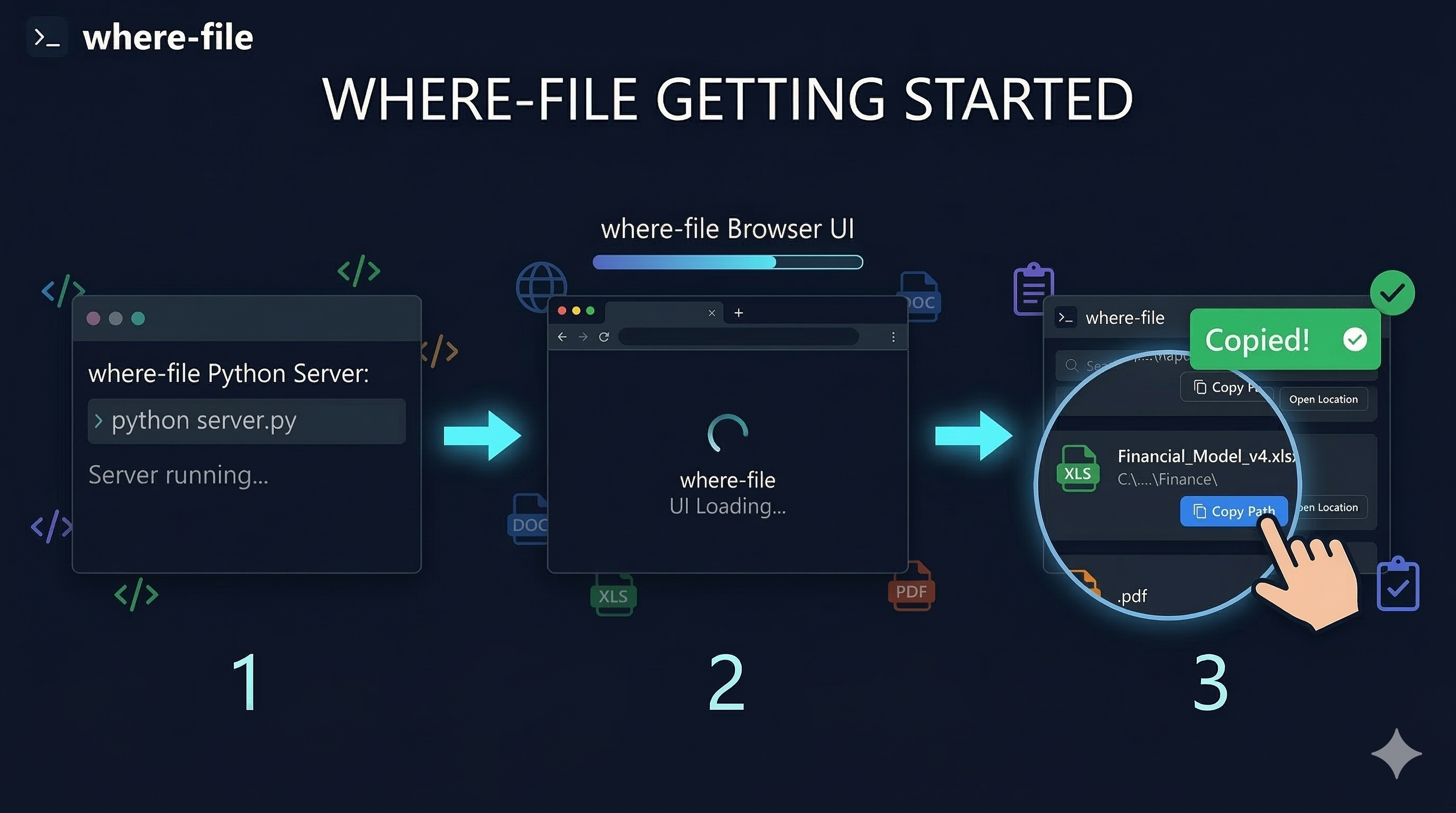
Grab where-file-web.exe or where-file-tray.exe from the Releases page.
Double-click the exe. That's it. No installation, no setup.
Your browser opens automatically showing all open files. Click Copy Path to grab any file path.
If it's open, we'll find it.